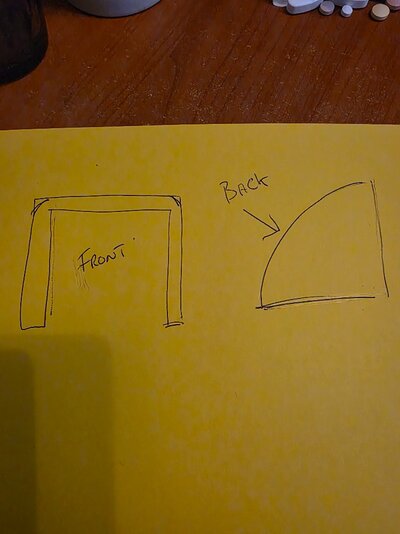



In case anyone is learning fusion I have a file that works for me they are welcome to look at as it shows how this was achieved. Just ask in here and I will send file or PM me with your email. I am finding it very useful to have a small project and to see the steps needed/used to create it.well I felt really good as I printed \ dozen spacers off 2mm increments and I all went way better than expected. then the failure while the spacers were printing I tried to model a joiner for a u shaped channel. I got them from screwfix and cut them in half but need a way of joining them so they will be water tight. Well I sort of got a model a bit like I needed but I cant alter the sizes and I dont think it will print correctly anyway. Any suggestions on what I have done wrong.View attachment 525625
here is thelink to the fusion file.
Dropbox
www.dropbox.com
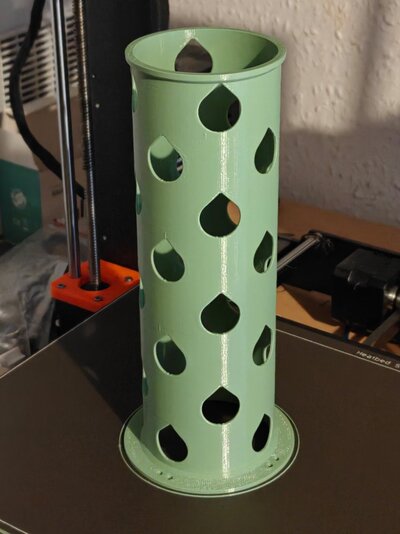
oh and here are the spacers..It might seems easy to most of you but doing it so quick using pattern instead of copying and extruding each one made my day.
View attachment 525627
Finally this is the channel i need to join. Its 110mm outside. And 2mm thick walls. Its 25mm deep. View attachment 525628
I do have another project I have managed to get quite far with but have got a little stuck with . so if anyone is able tell me the commands or steps needed to achieve it that would be great.
I managed to create a box and even got radius on the edges . Sadly when I come to do the final part it does not act how I expect it to. It creates a rounded back and side BUT only on one side .
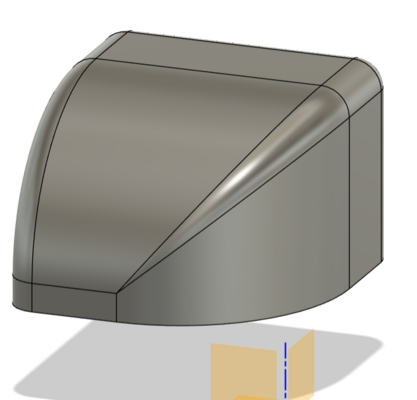
How do I lower the rear of the box but keep the front the same size.
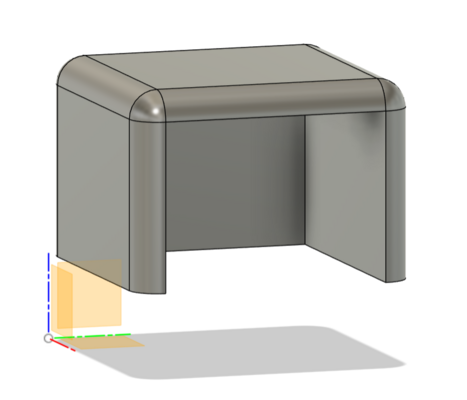
Here is what I am doing but instead of reducing it equal it just does one side and the command does not have the option to do both at the same time..
Dropbox
www.dropbox.com