

puffernutter
Puffernutter
- Messages
- 1,858
- Location
- Wiltshire
All, some help please from very much a plasma virgin!
OK, the set up! I have a Planet CNC set us and I'm using a R-Tech plasma cutter (their 13A smallest!). The initial word "Clumber" is drawn using Inkscape, then modified in ViaCAD to retain the centres of the B and R when it's being cut. The machine is a home brew job that I have built.
I create a DXF which is then converted to GCODE by Planet CNC and I end up with the plasma taking a very scenic route on the "B" (less so on the "R"). I have tried using DXF2GCODE software, but that just seems to end up missing chunks of the L and has an additional cut on the "M"!
Can anybody suggest what I am doing wrong? I group the individual letter then group the word and export as a DXF.
Bear in mind I am a hobby user and won't be spending out on expensive software- the ViaCAD is on a 14 day trial, but I may buy a licence if I can sort this problem out!
Pictures follow!
Thanks in advance for any help!
Cheers
Peter
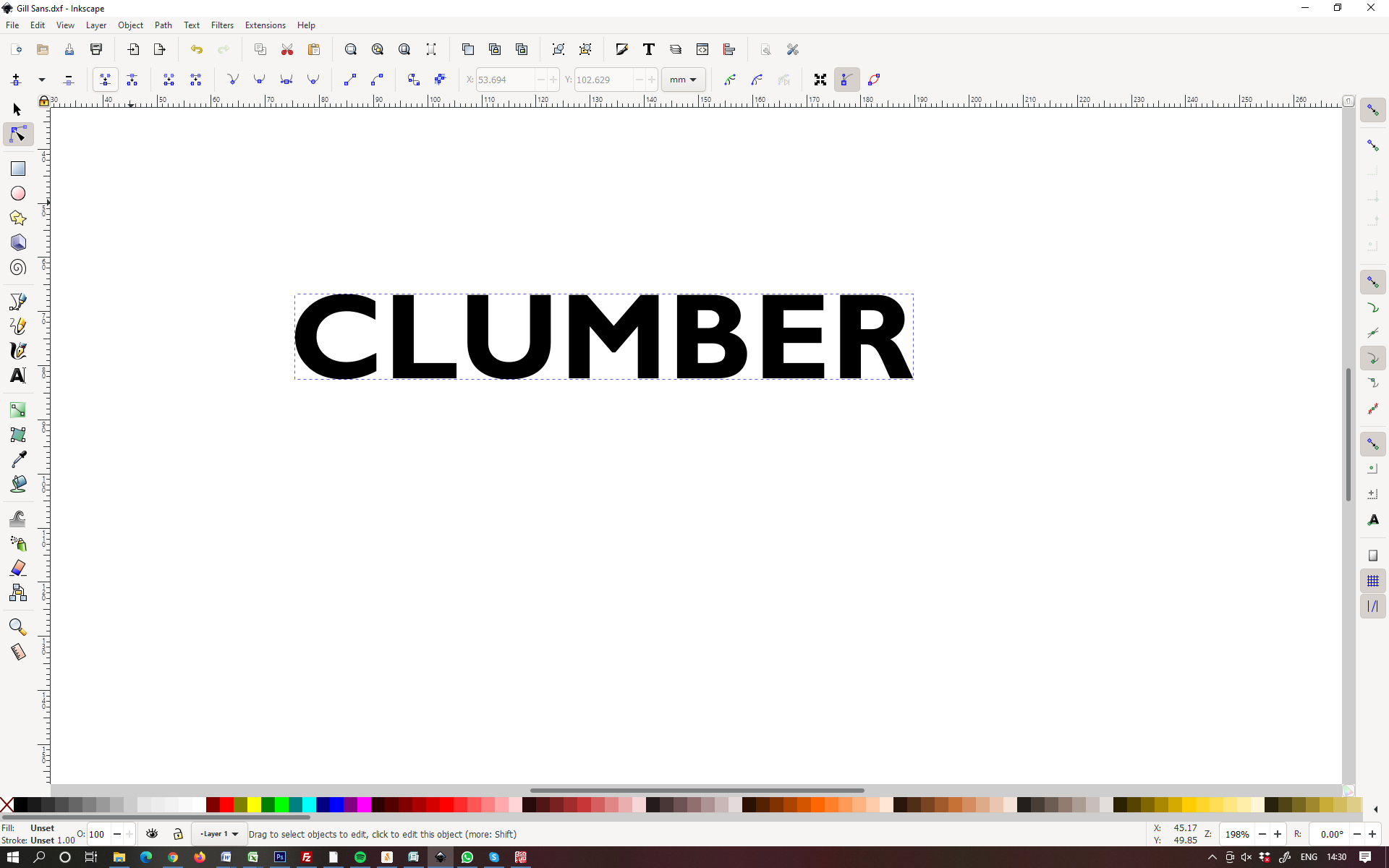
Here's the original word in Inkscape
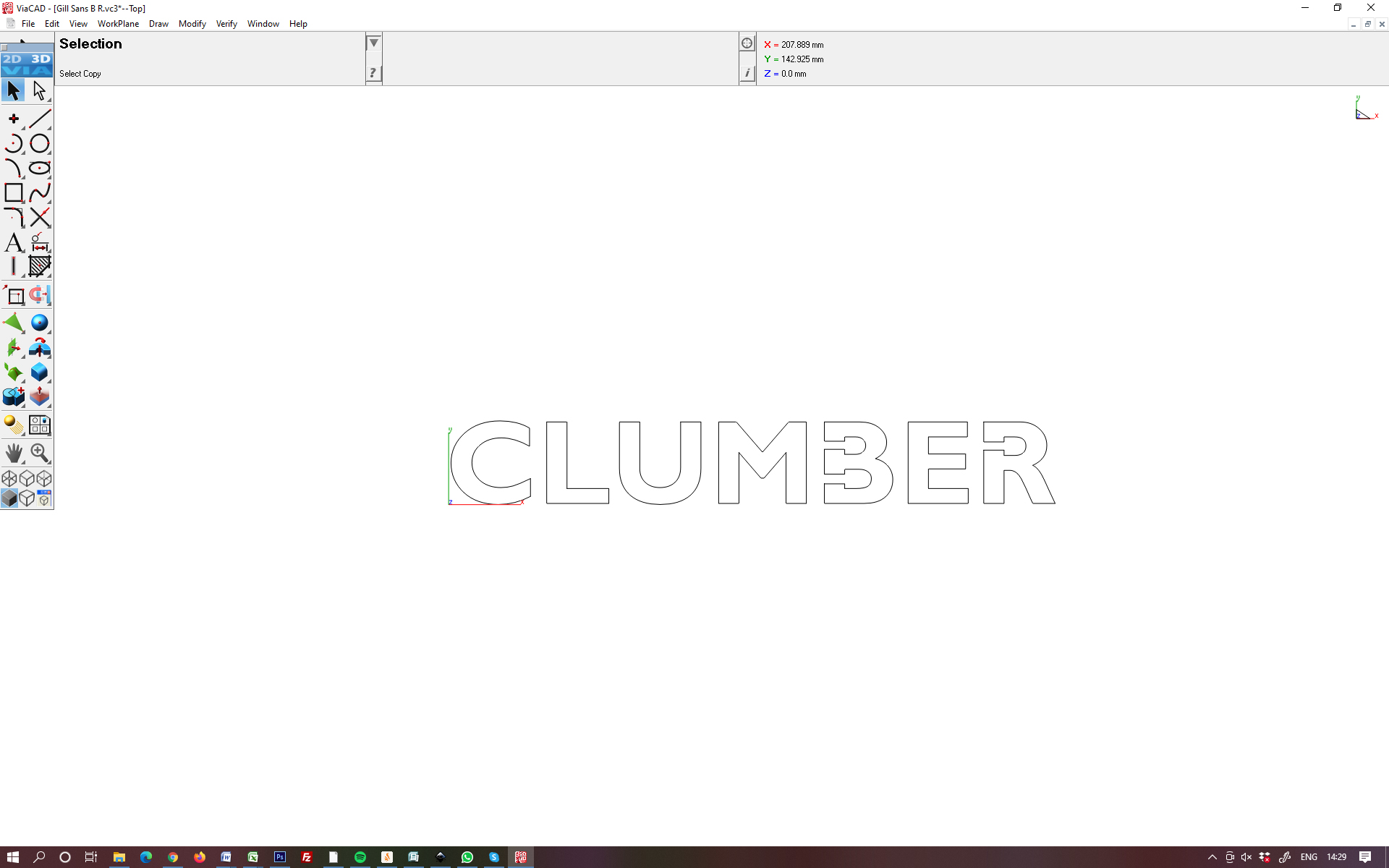
As modified in ViaCAD
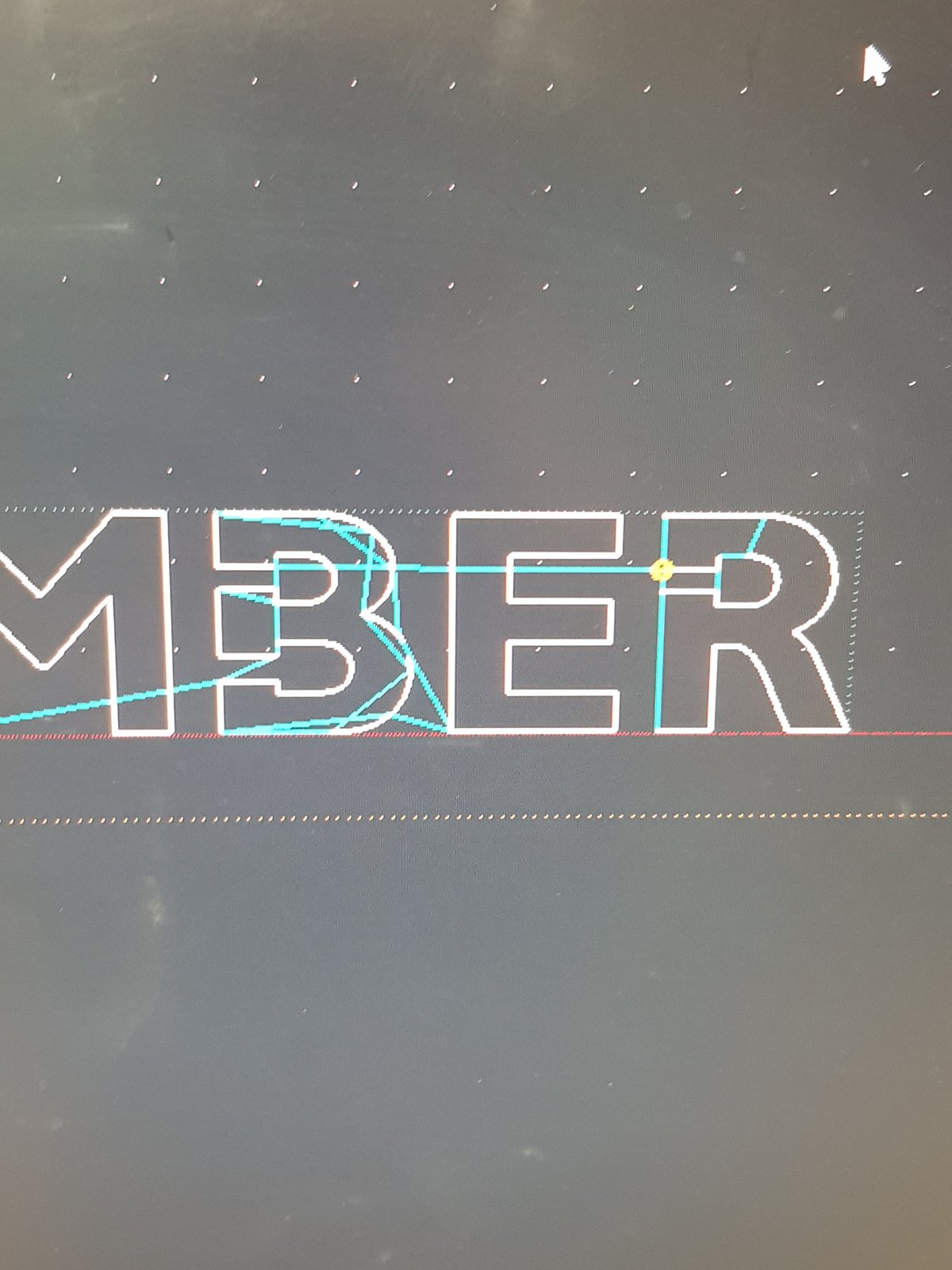
And this is the path I see on Planet CNC (importing the DXF and letting Planet CNC do the GCODE conversion
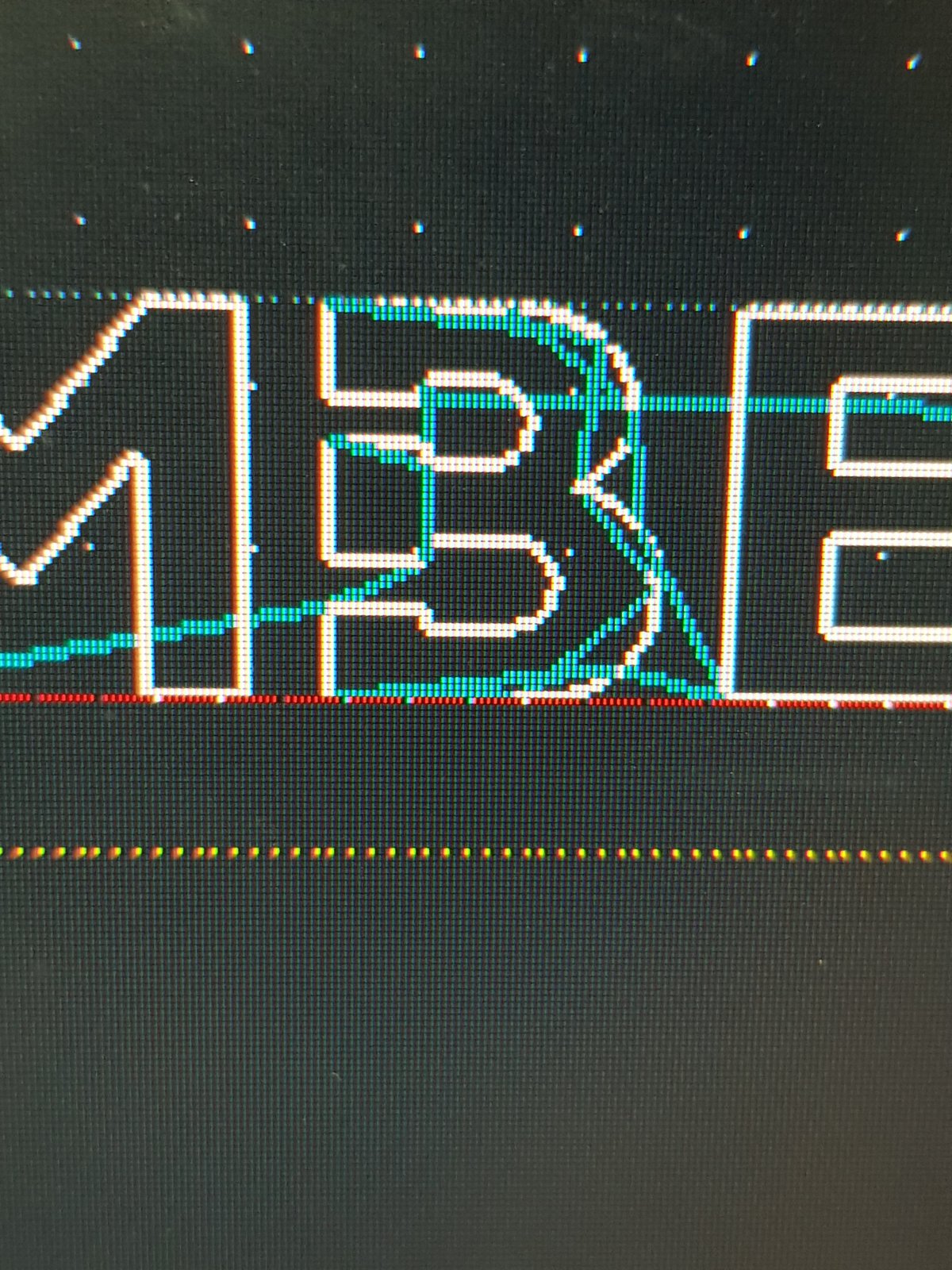
and a close up
OK, the set up! I have a Planet CNC set us and I'm using a R-Tech plasma cutter (their 13A smallest!). The initial word "Clumber" is drawn using Inkscape, then modified in ViaCAD to retain the centres of the B and R when it's being cut. The machine is a home brew job that I have built.
I create a DXF which is then converted to GCODE by Planet CNC and I end up with the plasma taking a very scenic route on the "B" (less so on the "R"). I have tried using DXF2GCODE software, but that just seems to end up missing chunks of the L and has an additional cut on the "M"!
Can anybody suggest what I am doing wrong? I group the individual letter then group the word and export as a DXF.
Bear in mind I am a hobby user and won't be spending out on expensive software- the ViaCAD is on a 14 day trial, but I may buy a licence if I can sort this problem out!
Pictures follow!
Thanks in advance for any help!
Cheers
Peter
Here's the original word in Inkscape
As modified in ViaCAD
And this is the path I see on Planet CNC (importing the DXF and letting Planet CNC do the GCODE conversion
and a close up


 ) ..then buy sheetcam for about £100 or so ..fantastic prog, doddle to use, and money very well spent....Gerry.
 )that's where the fun starts!

 I found using Drawplus for my fonts..just 'convert to curves' and export as a DXF worked every time. Also I used a drawing tablet with Drawplus ... I would insert a drawing or a picture and literally draw around it using the 'pen' on the tablet.... copy the outline to a new drawing, convert the scale if needed, and export as a DXF and then into sheetcam ...the most easy of processes - no maths involved. I would have done this for your doggy outlines Peter...would have taken 10 minutes from file to cutting out on the CNC......it is definitely NOT rocket science or I could not have done it!!!